Etherpad — the editor for documents that matter.
Real-time collaborative editing where authorship is the default, your server is the only server, and you decide what AI (if any) ever touches your text.
curl -fsSL https://raw.githubusercontent.com/ether/etherpad/master/bin/installer.sh | shNeeds git and Node.js ≥ 24. Then cd etherpad && pnpm run prod and open http://localhost:9001. Other install options.
Sixteen years of being trusted with documents that matter
Three things that make Etherpad different
Authorship is the product.
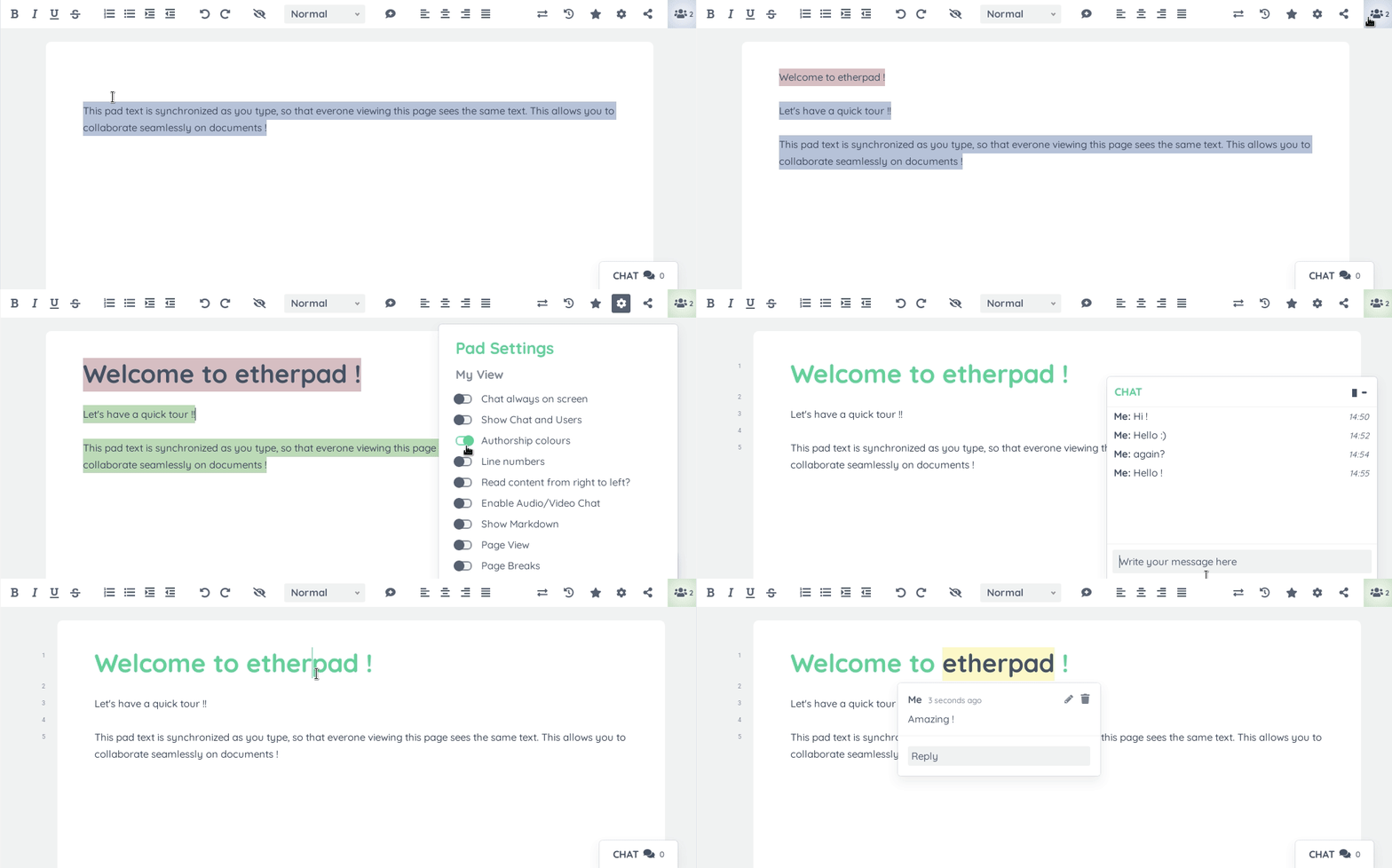
Every keystroke is attributed to its author. Every revision is preserved. The timeslider lets you scrub through a document's entire history, character by character, watching it come into being. Author colours make collaboration visible at a glance — not buried in a menu. Other editors hide the history. Etherpad's history is the point.
Sovereignty is the default.
Etherpad runs on your server, under your governance. No telemetry. No upsells. No silent updates that change the deal. The code is Apache 2.0. The data format is open. Full data export is built in. The history is yours, your users', your institution's — never a third party's.
Malleability is structural.
Etherpad ships small and grows with you. 290 plugins for comments, images, tables, drawing, video chat, math, code highlighting, OAuth/LDAP/OpenID auth, and more — including AI on your terms, pointed at the model you choose, running on infrastructure you control. SaaS competitors decide for you. Etherpad lets you decide.
You don't need to set up a server to try it. Pick one of the publicly available instances run by friendly people around the world — or set up your own by following our installation guide.
Who uses Etherpad
For more than a decade, Etherpad has quietly underpinned the documents that matter to:
- Wikimedia Foundation — collaborative drafting across editor communities.
- Public-sector institutions across the EU — including organisations that legally cannot use US-cloud SaaS for sovereignty and GDPR reasons.
- Universities and schools worldwide — including jurisdictions where Google Workspace is no longer permitted in education.
- Civic-tech and democratic-deliberation projects — citizen assemblies, participatory budgeting, public consultations.
- Newsrooms and investigative journalism teams — where authorship and editing history matter for legal and editorial integrity.
- Tens of thousands of self-hosted instances — run by IT teams who chose Etherpad because it is theirs.
AI on your terms — or not at all
Most editors decided AI for you. They added it to the toolbar, turned it on by default, sent your text to a model you can't choose, on infrastructure you can't audit, under terms you didn't write.
Etherpad doesn't.
AI in Etherpad is a plugin you install— pointed at the model you choose, running on the infrastructure you control, through code you can audit. You can swap providers. You can run a local model. You can turn it off. You can never turn it on.
For regulated industries, public-sector institutions, journalism, healthcare, legal, and anyone who cannot ship their documents to a third-party model — this isn't a nice-to-have. It's the only acceptable posture.
Add Functionality
Etherpad is very customizable through plugins. Instructions can be found in the plugin wiki article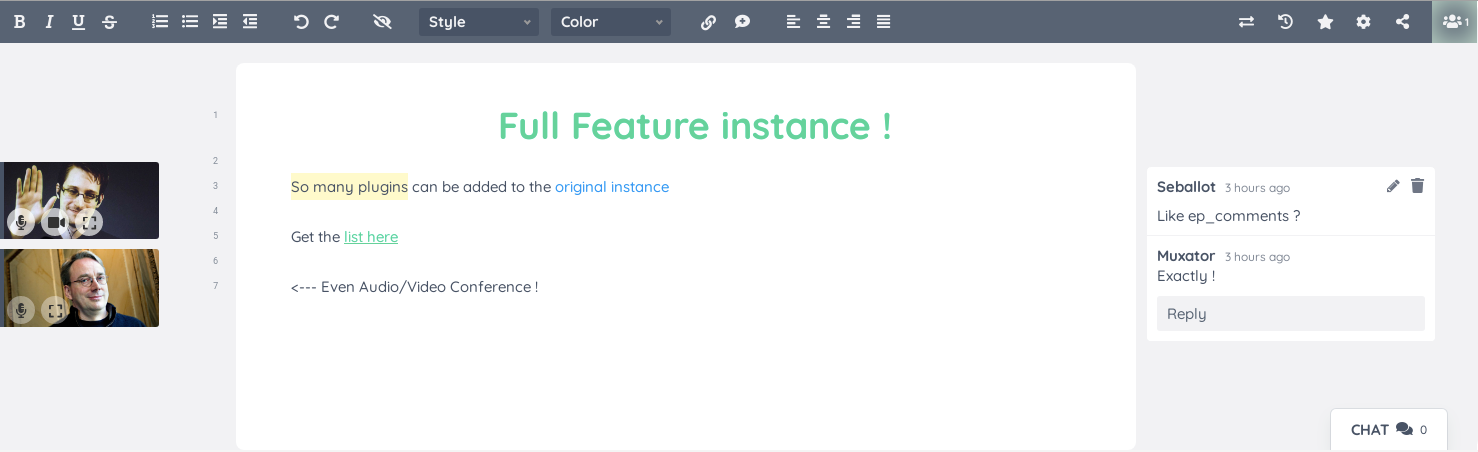
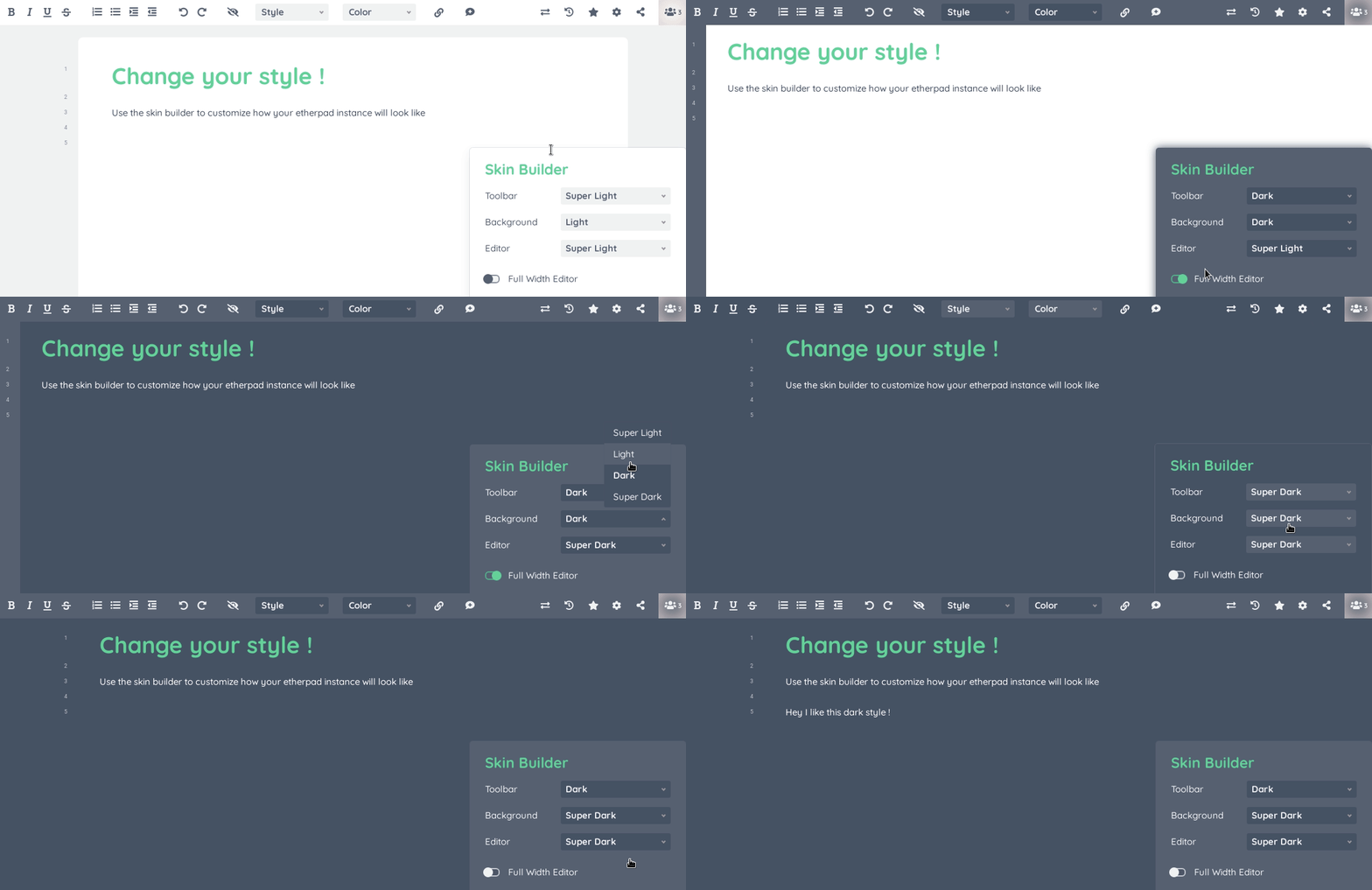
Customize Appearance
More from Etherpad
Etherpad is more than the editor. The Foundation maintains a family of official apps, clients and tools — plus a large plugin ecosystem — to help you extend, run, embed and scale Etherpad.
How to help
Etherpad is maintained by a small volunteer team and depends on contribution. Pick the way that fits you.
Contribute code, docs, translations, or plugins
Bug fixes, new plugins, documentation improvements, and translations are all welcome. Read the contributor guide, or browse the wiki for orientation. The project follows a standard fork-and-PR workflow against ether/develop on GitHub; master tracks stable releases.
Become a maintainer
We are actively looking for maintainers with experience in Node.js, real-time systems, or institutional collaboration tooling. Open an issue or contact John McLear to start a conversation.
Use Etherpad and tell people
One of the most useful things you can do is run an instance, recommend it to your team, school, or institution, and write about how you use it. A generation of decision-makers grew up after Etherpad's first wave of fame — word-of-mouth keeps the project alive.
How a contribution lands
The main development happens on GitHub. Fork the repo, branch off a feature branch from develop, commit your changes, push to your fork, and open a pull request against ether/develop. Periodically develop is merged into master, producing a new release.
Links
Thanks
Many individuals, companies and organizations have contributed to Etherpad. We'd like to thank them all!
Additionally, our thanks go out to the tens of thousands of developers and organizations who have created all the modules we depend on or contributed in some way to our ability to provide Etherpad as open source.
We'd also like to thank you. You, who've been making Etherpad what it is, if you've been developing awesome features or plugins, whether you're running an instance or you're just one of our diligent users.
Thank you!
